 megaprint
Print a picture bigger than your printer.
megaprint cuts one picture into overlapping borderless sheets for the Epson ET-8550. Hang each sheet over the edge of the last and the seams disappear.
Download for Mac Free · version 0.1.0 · 11.7 MBFree · macOS 14+ · Notarized by Apple · No account, no internet
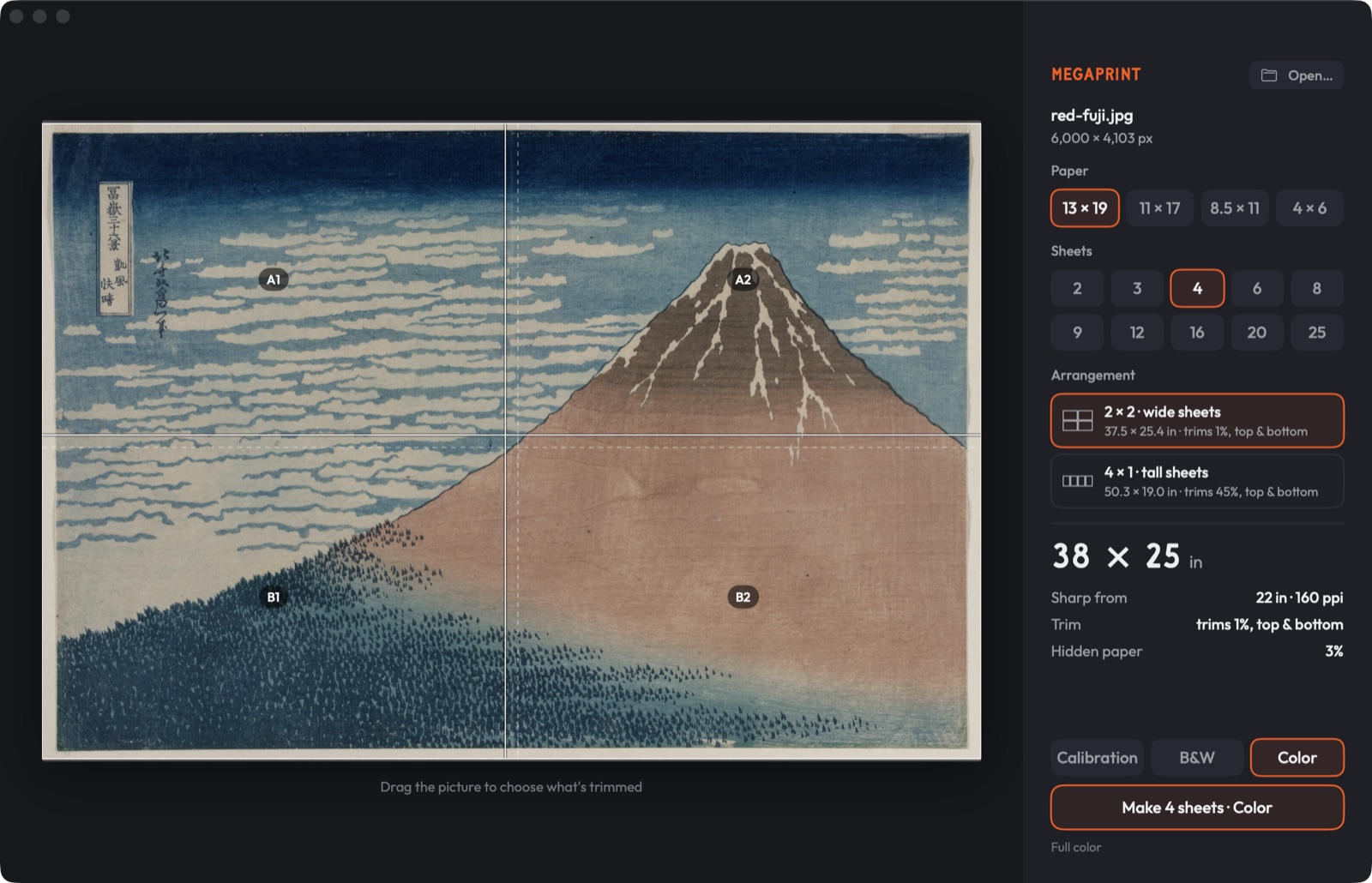
1 · Pick paper and sheets
13 × 19, 11 × 17, 8.5 × 11 or 4 × 6, from 2 to 25 sheets. megaprint shows the finished size, what gets trimmed, and how far back you need to stand before it looks sharp.
2 · Print the calibration sheets
Faint outlines of your picture with a ruler on every edge. They use barely any ink, show whether the sheets line up, and tell you how much the printer crops at each edge.
3 · Print it for real
Switch to Color or B&W and make the sheets: one 300 ppi file per sheet. Each sheet carries a hairline where the next one's edge goes.
Settings in Epson Print Layout
- Paper Source: Rear Paper Feeder – Borderless
- Paper Size: Super B (13 × 19 in). International Epson drivers call it A3+.
- Layout: Scale to Fit on, Expansion off. The status bar should say 300 ppi.
Version 0.1.0 is new. It doesn't yet correct for the slight enlargement that borderless printing adds, so print the calibration sheets first.